









Free
Virtual Private Servers (VPS)
What you'll learn
Understand what a Virtual Private Server (VPS) is and why traders use it
Learn the benefits of using a VPS for automated and remote trading
Discover how to choose the right VPS provider for your needs
Learn how to install and run MetaTrader 4/5 or other platforms on a VPS
Set up your Expert Advisors (EAs) or custom scripts to run uninterrupted
Learn how to monitor and manage your VPS remotely
Gain tips for security, performance optimization, and troubleshooting

Free
Expert Advisors (EAs)
What you'll learn
Understand what Expert Advisors (EAs) are and how they function within MetaTrader platforms
Learn the difference between fully automated and semi-automated trading systems
Discover how to install, configure, and test EAs on MT4/MT5
Explore the basics of backtesting and optimizing EAs using historical data
Understand key concepts like:
Risk parameters
Drawdown limits
Trade filters and time controls
Learn how to evaluate third-party EAs before using them in a live account
Gain awareness of the risks and limitations of automated trading
Free
Using ChatGPT in Trading
What you'll learn
How to use ChatGPT for market research, sentiment analysis, and trade idea generation
Techniques for using AI to summarize economic reports, earnings releases, and news events
How to prompt ChatGPT to write and explain trading strategies, indicators, and risk models
Using ChatGPT to assist with trading journal summaries and post-trade analysis
Intro to using ChatGPT with Python or trading platforms to support basic automation

Free
Automated Trading
What you'll learn
The core concepts of automated and algorithmic trading systems
How to build, backtest, and optimize automated strategies using trading platforms
The pros, cons, and risks of automated trading vs. manual trading
How to use programming tools (e.g., MQL4/5, cAlgo, Python APIs) to create custom bots
Key principles of strategy validation, risk management, and live deploymen
Free
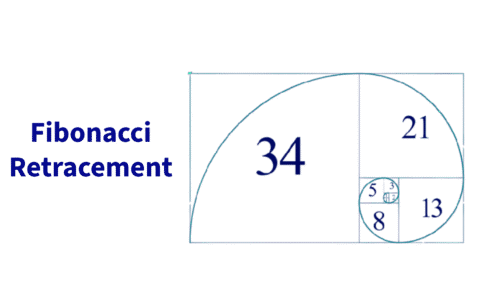
Trading with Fibonacci retracement
What you'll learn
The theory behind Fibonacci retracement and why it works in trading
How to correctly draw and interpret Fibonacci levels on price charts
Identifying confluence zones with Fibonacci and other indicators
Entry, stop-loss, and take-profit strategies using retracement levels
Common mistakes traders make when using Fibonacci — and how to avoid them

Free
What is xStation
What you'll learn
How to navigate the xStation platform and customize your trading workspace
How to place, manage, and close trades using different order types
How to analyze charts using technical indicators and drawing tools
How to use built-in tools like the trading calculator and risk management settings
How to access and apply real-time news, market sentiment, and heatmaps in your trading decisions
Free
What is cTrader
What you'll learn
A student learning about cTrader will gain a comprehensive understanding of how to navigate and use the platform effectively for trading. They will learn how to place and manage trades, use advanced charting tools, customize layouts, and analyze market data. Additionally, they’ll explore automated trading with cAlgo, understand Level II pricing, and practice risk management using built-in tools. By the end of the course, students will be equipped to trade confidently and efficiently on cTrader.
Free
Introduction to Technical Indicators
What you'll learn
Students will understand the role of technical indicators in analyzing market trends, momentum, and potential entry/exit points. They will learn how to apply popular indicators such as moving averages, RSI (Relative Strength Index), MACD (Moving Average Convergence Divergence), and Bollinger Bands. The course emphasizes not just using indicators in isolation, but combining them effectively to confirm signals and manage risk. By the end, students will be able to use technical indicators to support their trading strategies with greater confidence.
Free
Introduction to Metatrader 5
What you'll learn
In this course, students will gain a clear understanding of how to use MetaTrader 5 effectively for online trading.
They will explore how to set up accounts, navigate the platform, place and manage trades, and use its advanced charting and technical tools.
Additionally, students will learn how to incorporate Expert Advisors (EAs) for automated trading and how to customize MT5 for their own trading strategies.
Free
Intro to Metatrader 4
What you'll learn
Students will learn how to set up and navigate the MetaTrader 4 platform, place and manage trades, and use charting tools and indicators effectively.
They will also gain insights into customizing MT4, managing risk, and using automated strategies through Expert Advisors.
By the end of the course, learners will be comfortable operating MT4 as their main trading platform, understanding both its strengths and its limitations compared to newer platforms.
